SleuthGear Covert Digital
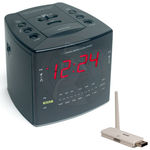
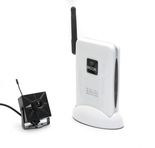
Wireless Alarm
Clock Spy Camera with built-in Features an Encrypted
Transmission, so that No one can Pick up your Video Feed.
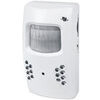
Motion Detector Alarm Color Hidden Camera With Built-In DVR - Mini Alarm DVR with PIR Detection & Motion Detection The PIR MOTION DETECTOR HIDDEN CAMERA with built-in DVR is the best on the market. It doesn't just look... Motion Detector Alarm Color Hidden Camera With Built-In DVR
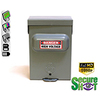
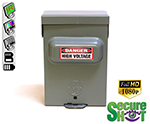
SecureShot 1080p High-Def Electrical Box Hidden Camera/DVR w/NightVision - This ultimate electrical box SecureShot DVR offers features others only imagine. Our 940nm invisible IR illuminator array records in total darkness... SecureShot 1080p High-Def Electrical Box Hidden Camera/DVR w/NightVision
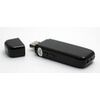
USB Camstick Spy Camera w/Night Vision - The CamstickNV looks and functions like an ordinary flash drive. Yet this storage device conceals a DVR capable of recording both audio and quality color video.Motion activation mod... USB Camstick Spy Camera w/Night Vision
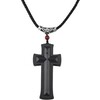
Cross Hidden Spy Camera w/Built in DVR - The Cross Hidden Spy Camera with built in DVR is a tiny spy camera hidden inside a mini wearable cross. Cross Hidden Spy Camera w/Built in DVR
Bush Baby Wifi Outlet - This functional 6 plug wall outlet can support up to six devices and even comes with two functional USB ports and comes in Black or White color. With this built in hidden camera you can keep track ... Bush Baby Wifi Outlet
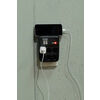
Mini Phone Charger Spy Camera/DVR - Functional phone charger. Our NEW Mini Charger Spy Camera/DVR is a small but powerful device. It offers Hi-Definition 1080p recording resolution hidden discreetly inside a functional ... Mini Phone Charger Spy Camera/DVR
Bush Baby Stealth Hi-Def Outlet Spy Camera/DVR - FREE 16GB Micro SD Card - This wall adapter is perfect for just about any location. Its built-in camera on the front is positioned so that this ordinary looking object can b... Bush Baby Stealth Hi-Def Outlet Spy Camera/DVR - FREE 16GB Micro SD Card
Secureguard 4K Ultra HD WiFi Battery Powered Fire Alarm Strobe Spy Camera - - 4K Resolution Battery Powered Spy Camera This Fire Strobe is WiFi enabled with a 4K Spy camera inside.You can remotely view and control the cam... Secureguard 4K Ultra HD WiFi Battery Powered Fire Alarm Strobe Spy Camera
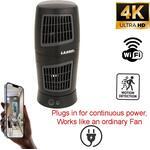
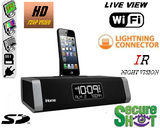
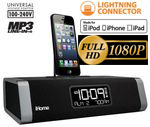
Secureguard 4K Ultra HD WiFi iPhone Dock Radio Spy Camera - Our Secureguard 4K Resolution WiFi Spy Camera is an iPhone Dock Radio with WiFi enabled with a 4K Spy camera inside.You can remotely view and control the camera ... Secureguard 4K Ultra HD WiFi iPhone Dock Radio Spy Camera
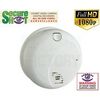
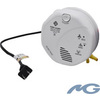
Bush Baby 4K WiFi Two Camera Smoke Detector Spy Camera/DVR - ON SALE: $30 OFF!Are you looking for a smoke detector that covers all angles of the room? Then look no further. The Bush Baby 4K WiFi Two Camera Smoke Detector S... Bush Baby 4K WiFi Two Camera Smoke Detector Spy Camera/DVR
Bush Baby 4K WiFi Dog Spy Camera/DVR - The Bush Baby 4K Wi-Fi Dog is the perfect device to protect your young ones. Whether you are making sure your child is staying out of trouble or keeping an eye on the babysitter no o... Bush Baby 4K WiFi Dog Spy Camera/DVR
KINDLY SHARE THIS PAGE
iHome Spy Cam/DVR Record Video and View on Smart Phone or PC
Outdoor Theft & Vandalism is Rampant! Top 3 Outdoor Cameras Click on Image to See More
WE BUILD PORTABLE OUTDOOR WEATHERPROOF COVERT CAMERAS w/3 YEAR WARRANTY
Cheatin'
Spouse? Corrupt Employee? Child Being Bullied? GET DELETED DATA
FROM ANY MOBILE
iPhone, iPad, iPod Touch
Android Recovery
SD Card Recovery
USB Recovery
GLC Enterprises, Inc. has successfully installed the
WiLife 6 Camera Pro System
in Kazimierz Aleszczyk Machine Shop in Bensenville, IL. Now Mr. Aleszczyk is able to clearly watch over his operation to
make sure it is running smoothly and efficiently 24 hours a day!
- Mr. Aleszczyk (President - Wright Technologies, Inc.) says... Thanks again!
Be assured that your shopping
experience is completely safe. The order site is secured using a Thawte
SSL Web Server Certificate which encrypts all data to and from the
site. However, if you prefer to pay with check or money order, just
choose the off-line option when you check out.